Incident Response Automation: A CISO’s Guide for 2026
Your SOC may appear active in theory yet fragile in reality. Alerts arrive from email, endpoints, cloud workloads, identity providers, firewalls, and ticketing systems. Analysts rotate among consoles, paste indicators into chat, create cases manually, and hurry to determine which events warrant containment and which are merely noise.
That model does not fail because people are negligent. It fails because the volume, pace, and interconnected nature of modern environments surpassed manual response long ago. Security teams need a method to convert detection into action without waiting through a sequence of handoffs.
This is where incident response automation becomes relevant. It is not a magic button, nor a set of disconnected scripts, but an operating discipline. It begins with clean telemetry, proceeds through enrichment and decision logic, and concludes with controlled response actions, evidence capture, and measurable results.
Table of Contents
- What Is Incident Response Automation and Why It Matters Now
- The Core Architecture of an Automated Security Ecosystem
- Key Business and Security Benefits of Automation
- Common Automation Playbooks and Real-World Examples
- Your Five-Phase Implementation Roadmap
- Measuring Success and Avoiding Common Pitfalls
- Unifying Automation for Security and Compliance
What Is Incident Response Automation and Why It Matters Now
Incident response automation uses orchestrated workflows to manage portions of detection, triage, containment, recovery, and documentation without requiring an analyst to carry out each step by hand. In practice, this allows systems to gather alerts, add context, route them appropriately, and perform predefined actions such as isolating a device, blocking a connection, or opening an incident ticket.
The force driving this change is straightforward. The yearly cost of IT incidents averages $30.4 million, but automation can reduce that to $16.8 million, nearly a 45% reduction. That same source reports that the count of IT incidents rose by 48%, which is why a manual model has become economically and operationally hard to sustain for most organizations, according to Splunk's overview of automated incident response.
Why manual response no longer scales
Teams often do not fail at incident response due to a lack of effort. They fail because too much of the process still relies on people performing repetitive tasks:
- Analysts correlate alerts by hand Spanning SIEM, EDR, identity, and cloud tools.
- Case creation lags behind detection since teams continue to depend on tickets, chat messages, and email for coordination.
- Containment starts too late when each action demands a new review rather than a proven playbook.
- Post-incident reporting gets deferred since all the team's energy went into the firefight itself.
Practical rule: When analysts devote more time to shifting data across tools than to making decisions, the response process is already ripe for automation.
Automation also alters who performs which tasks. Machines manage the repeatable mechanics. People manage judgment, exceptions, and business trade-offs. That difference matters even more as teams start exploring more autonomous systems. If you are evaluating where AI fits into operational decision-making, what is agentic AI? is a helpful framing resource because it distinguishes workflow automation from systems capable of pursuing goals over multiple steps.
The strategic shift
Many organizations still treat incident response automation as a feature they will enable after buying a platform. That is backwards. The difficult part is not flipping a switch. The difficult part is defining which data you trust, which actions are reversible, when approvals are necessary, and how you prove what happened afterward.
That is why mature automation programs resemble less a set of scripts and more an operational policy embedded in workflows.
The Core Architecture of an Automated Security Ecosystem
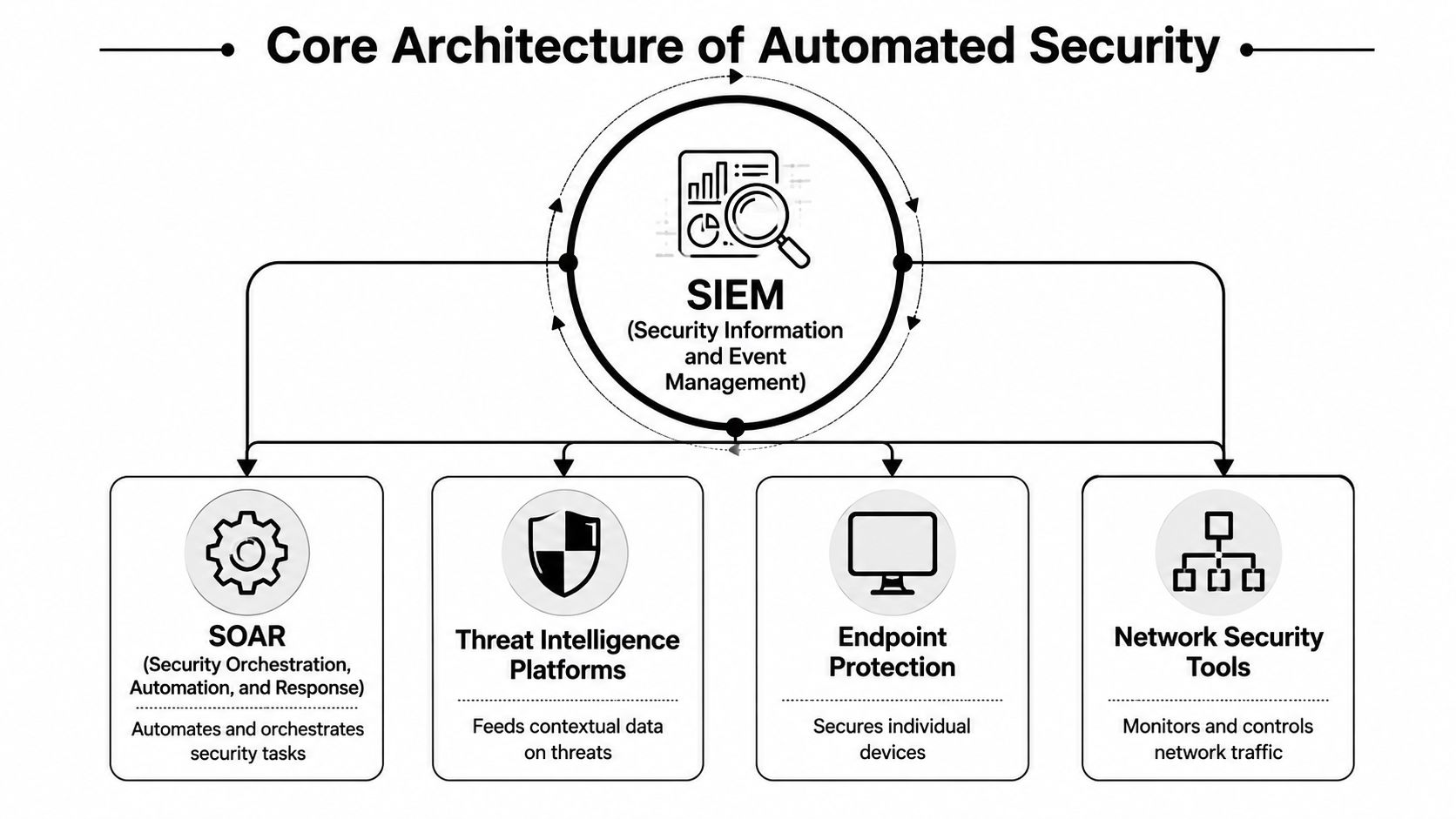
Security automation performs best when the stack functions like a central nervous system. Sensors gather signals. The brain determines what is important. The limbs take action. If any component is disconnected, response becomes slower and quality declines.
From telemetry to action
At the center is the SIEM. It consumes logs, events, and alerts from the environment, normalizes and correlates them, and provides the team a system of record for security activity. Without this layer, you do not have enough context to automate safely.
EDR and endpoint tools provide host-level signals. They observe process behavior, file activity, and local signs of compromise. Network security tools introduce visibility into traffic and opportunities for enforcement. Threat intelligence platforms offer context that helps distinguish ordinary noise from indicators that merit action.
Next comes the orchestration layer. Effective automation depends on an orchestration layer that spans SIEM, EDR, and other systems because it can correlate telemetry, enrich alerts, and carry out predefined containment actions without waiting for manual handoffs, as described in this explanation of automated incident response architecture.
How the systems work together
The cleanest way to think about the flow is this:
| Component | Primary job | What breaks without it |
|---|---|---|
| SIEM | Ingests and correlates security telemetry | Alerts stay fragmented |
| SOAR | Executes workflows and playbooks | Response remains manual |
| EDR/XDR | Provides endpoint and cross-domain detection context | Containment lacks precision |
| Ticketing and case systems | Track ownership and evidence | Incidents become hard to audit |
A practical architecture usually follows this sequence:
- Collect telemetry coming from cloud services, endpoints, identity systems, firewalls, and applications.
- Normalize it so detections do not depend on a single vendor's format.
- Correlate and enrich alerts enriched with asset, identity, and threat context.
- Decide whether the event is informational, merits triage, or demands action.
- Execute a playbook that includes either automatic or approval-required actions.
- Document each action to support review, audit, and tuning.
The orchestration layer needs clear opinions on process while remaining aware of risk.
The choice of how to build also counts. Some teams piece together automation from separate products and custom scripts. Others opt for a unified stack with ready-made connectors and workflow logic. If you're considering that trade-off, this comparison of building versus buying AI tooling is helpful because security automation brings up the same integration, maintenance, and governance concerns.
For teams evaluating a cloud-delivered SIEM foundation, SIEM on cloud sets a baseline for what a centralized data and detection layer needs to support before you automate downstream response.
Key Business and Security Benefits of Automation
The business rationale for automating incident response is not only about speed. Speed is important, but executives give approval when they see cost containment, operational consistency, and reduced exposure during an incident.
Organizations using AI and automation extensively save about $1.9 million per breach and shorten the breach lifecycle by 80 days, according to TechTarget's discussion of incident response automation citing Ponemon Institute data. That is the clearest reason this subject shifted from SOC optimization to a board-level concern.
Financial impact
Once response is repeatable, security spending starts to go further.
- Lower breach fallout: Quicker containment shortens the time incidents remain active and costly.
- Better use of skilled staff: Senior analysts dedicate less time to repetitive triage and more to threat hunting, architecture, and root-cause analysis.
- More predictable operating costs: Standard playbooks cut the unseen expense of ad hoc response, overtime, and uneven escalation.
Operational stability
Automation delivers the most value during a hectic week, not in a presentation.
A mature workflow does not require an analyst to manually collect user identity data, endpoint status, recent alerts, and ticket context for each event. The system does this first, then routes a cleaner incident to the appropriate responder. That shortens the path from detection to containment and reduces the drag from duplicate investigations.
Here's the practical difference:
| Response Task | Manual Approach (Hours/Days) | Automated Approach (Seconds/Minutes) |
|---|---|---|
| Alert enrichment | Hours | Seconds/Minutes |
| Ticket creation and routing | Hours | Seconds/Minutes |
| Initial containment step | Hours/Days | Seconds/Minutes |
| Evidence collection | Hours | Seconds/Minutes |
| Post-incident documentation | Hours/Days | Seconds/Minutes |
The table is meant to be directional. Exact timing varies by team, toolchain, and process design. What counts is the move from human queue time to machine execution time for repeatable work.
Governance and audit value
Control is one of the least appreciated benefits. Sound automation does not weaken governance. It strengthens it.
Manual response often leaves gaps. A user was blocked, but where is the evidence trail? A host was isolated, but was that approved? A ticket was updated, but was the reason captured? Automated workflows can produce a record of every trigger, decision point, action, and handoff.
The best security automation programs do not conceal process. They make process visible.
That visibility is important for regulated environments and internal trust. Business leaders are more likely to approve disruptive actions when they know the workflow is documented, tested, reversible when possible, and easy to review afterward.
Common Automation Playbooks and Real-World Examples
Automation gains credibility when you can point to specific playbooks. Not lofty visions. Real response patterns that analysts execute each week.
Phishing triage and response
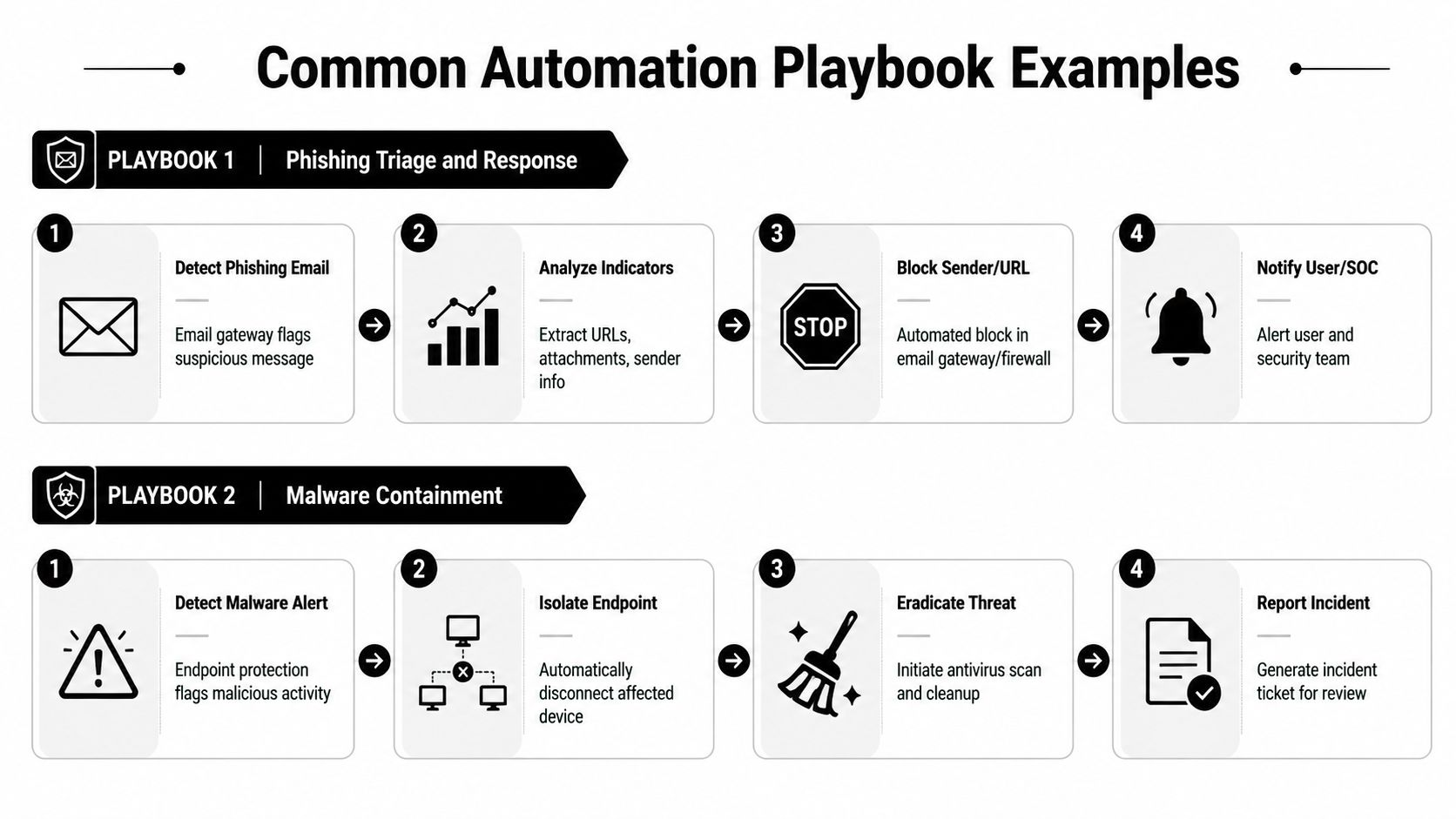
A phishing playbook generally starts in one of two ways: either the email gateway flags a message or a user reports it. From there, the workflow should gather the sender, URLs, attachment metadata, subject line, recipient list, and any related events from identity or endpoint tools.
A useful sequence looks like this:
- Trigger: Inbound email identified through gateway policy or a user report.
- Enrichment: Gather attachment details, examine URLs, verify whether other users received the same message, and search for related clicks or login activity.
- Decision: If indicators reach the response threshold, label the event as malicious or suspicious.
- Action: Place the email in quarantine, block the sender or URL where appropriate, open the incident, and alert affected users and the SOC.
Over-automating uncertain classifications does not work. When email detections are noisy, the playbook should pause at enrichment and routing until confidence improves.
For teams building these workflows, incident response playbooks It serves as a useful reference for how prebuilt response logic can map detections to concrete containment actions.
Malware containment
Automation often provides clear value. An endpoint alert arrives. The host exhibits suspicious execution, persistence activity, or known malware artifacts. Waiting for an analyst to notice, verify, and isolate the endpoint can be too slow.
A disciplined malware playbook typically does the following:
- Verifies the source of the alert and the affected host.
- Retrieves recent process and user context from endpoint telemetry.
- Checks for correlated detections on nearby assets or the same identity.
- Isolates the endpoint when that action is authorized for the alert category.
- Creates the case and retains relevant evidence for investigation.
- Directs the incident to eradication and recovery review.
The central design decision is reversibility. Endpoint isolation often suits automatic action when rollback is straightforward and business impact is acceptable. Deleting files, terminating processes, or enforcing wider remediation might need approval.
Suspicious login investigation
Identity incidents often create both noise and risk. A playbook for suspicious logins should enrich before taking action. That involves retrieving sign-in details, device posture, user role, recent password changes, MFA activity, and any correlated alerts from endpoint or cloud systems.
Decision rule: Disable accounts automatically only when confidence is high and business impact is understood.
A robust workflow can automatically open a high-priority case, mark the user as under investigation, require step-up review, alert identity administrators, and place account suspension in a queue for approval. For lower-confidence events, it may simply collect context and escalate.
Vulnerability and patch-triggered response
Not all incidents begin with a traditional detection alert. Some begin with exposure. A vulnerability scanner, cloud finding, or change-control issue identifies an asset that now carries material risk. That can also initiate an incident workflow.
In such cases, automation assists by coordinating teams. It can open the ticket, assign ownership, attach asset context, link the issue to the affected service, and start a patch or rollback workflow where the organization already has a documented path. This is less dramatic than quarantining a host, but it often generates more long-term value because it standardizes operational follow-through.
Across all four examples, the common thread is simple. Effective playbooks remove repetitive work first. They do not remove judgment where judgment still matters.
Your Five-Phase Implementation Roadmap
Many automation programs fail when teams try to automate everything at once. Phased maturity is the safer route. Start with visibility and low-risk successes, then advance toward broader orchestration and controlled containment.
Robust incident response automation is a lifecycle system that automates discovery, triage, containment, eradication, recovery, and documentation in a continuous workflow. It relies on collecting telemetry, enriching alerts, and applying rules to trigger playbooks while preserving an evidence trail for reviews and compliance, as outlined in Wiz's incident response automation guide.
Phase one and two
Phase one begins with goals and baseline metrics. Before you automate any task, identify the pain you intend to eliminate. That pain could be a triage backlog, slow containment, uneven documentation, or weak handoffs between security and IT. Describe the existing process thoroughly enough to determine whether automation made it better.
Data consolidation is the second phase. Dependable actions require dependable inputs. Connect the systems that carry the context analysts already rely on: SIEM data, endpoint signals, identity events, cloud logs, network telemetry, and ticketing metadata. When one alert carries different meanings across tools, your playbooks will take on that ambiguity.
A few practical checks help here:
- Normalize event meaning: A host, user, and alert category should resolve in the same way across systems.
- Establish ownership: Each playbook requires a business owner in addition to a technical maintainer.
- Separate advisory from actionable detections: Not all alerts warrant automation.
Phase three through five
Phase three is a suitable point to start real automation. Begin with low-risk work that cuts toil while avoiding service disruption. Strong examples are enrichment, case creation, alert deduplication, responder assignment, and evidence collection. Such wins earn trust because they streamline workflow without performing risky actions.
Phase four covers developing and testing playbooks. Turn proven manual procedures into structured workflows. Specify triggers, required context, decision points, actions, rollback steps, escalation rules, and documentation outputs. Then test them. Not one time. Again and again, with actual stakeholders participating.
For security operations, a playbook is production code. Treat it as such.
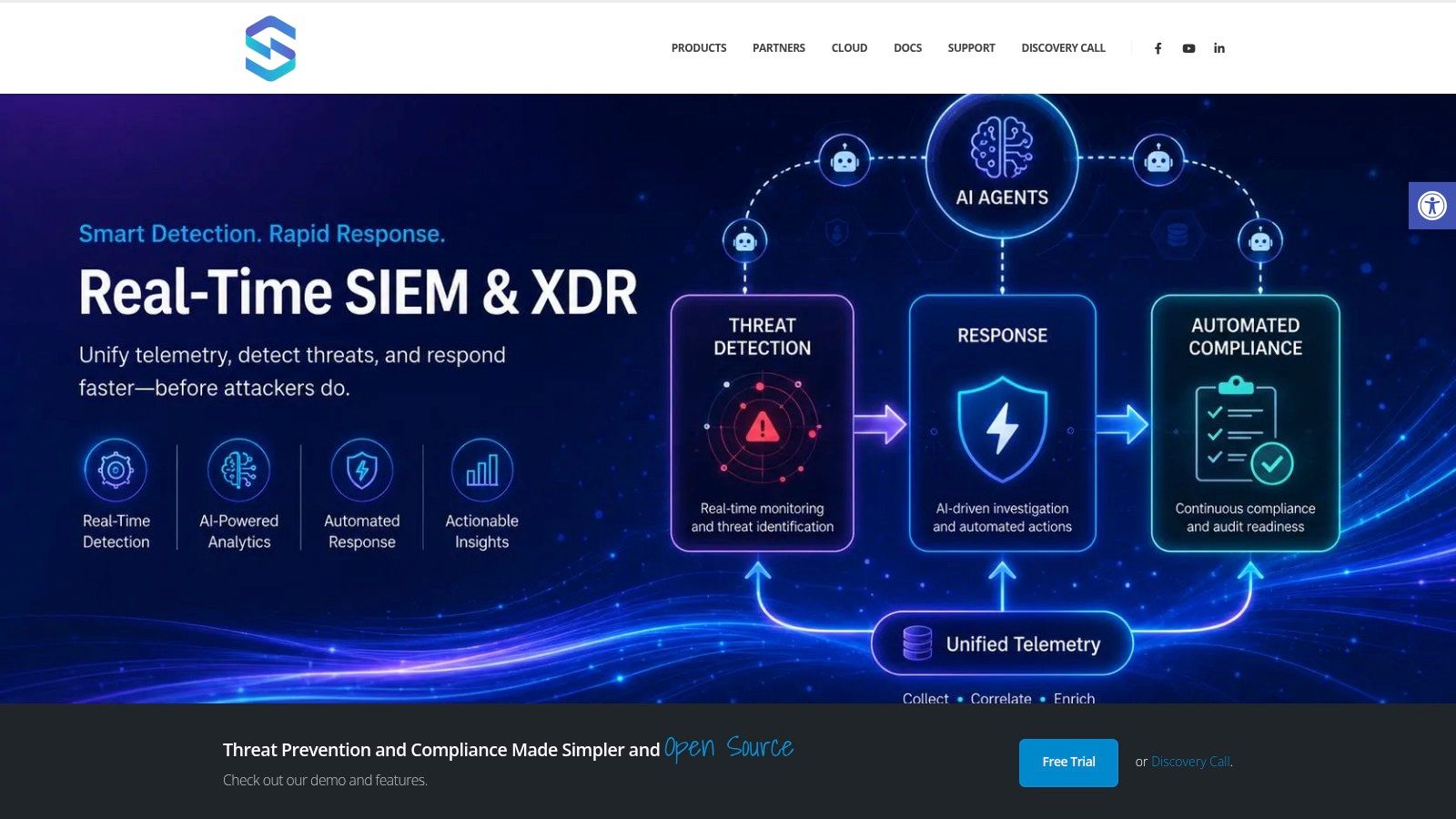
At this stage, it makes sense to assess platforms that unify detection and orchestration in a single environment. Unified Security Stack One example combines SIEM, SOAR, and XDR functions with automated response and compliance workflows, which can reduce the integration overhead that often slows early automation efforts.
A short product walkthrough helps when aligning the operating model with the tooling:
Phase five focuses on scaling and optimization. Move from basic actions to deeper orchestration only once the earlier workflows are stable. Introduce approval paths for disruptive actions. Adjust routing rules. Retire playbooks that no longer fit the environment. Refresh evidence requirements for compliance and incident review.
Teams that mature effectively do not pursue the largest count of automated actions. They create a dependable workflow library that security, IT, compliance, and leadership all trust.
Measuring Success and Avoiding Common Pitfalls
Many automation programs appear healthy because dashboards display more workflows, more connectors, and more triggered actions. That does not prove the SOC is improving. The difficult question is whether the system cut the work that mattered without introducing new noise, new fragility, or new governance issues.
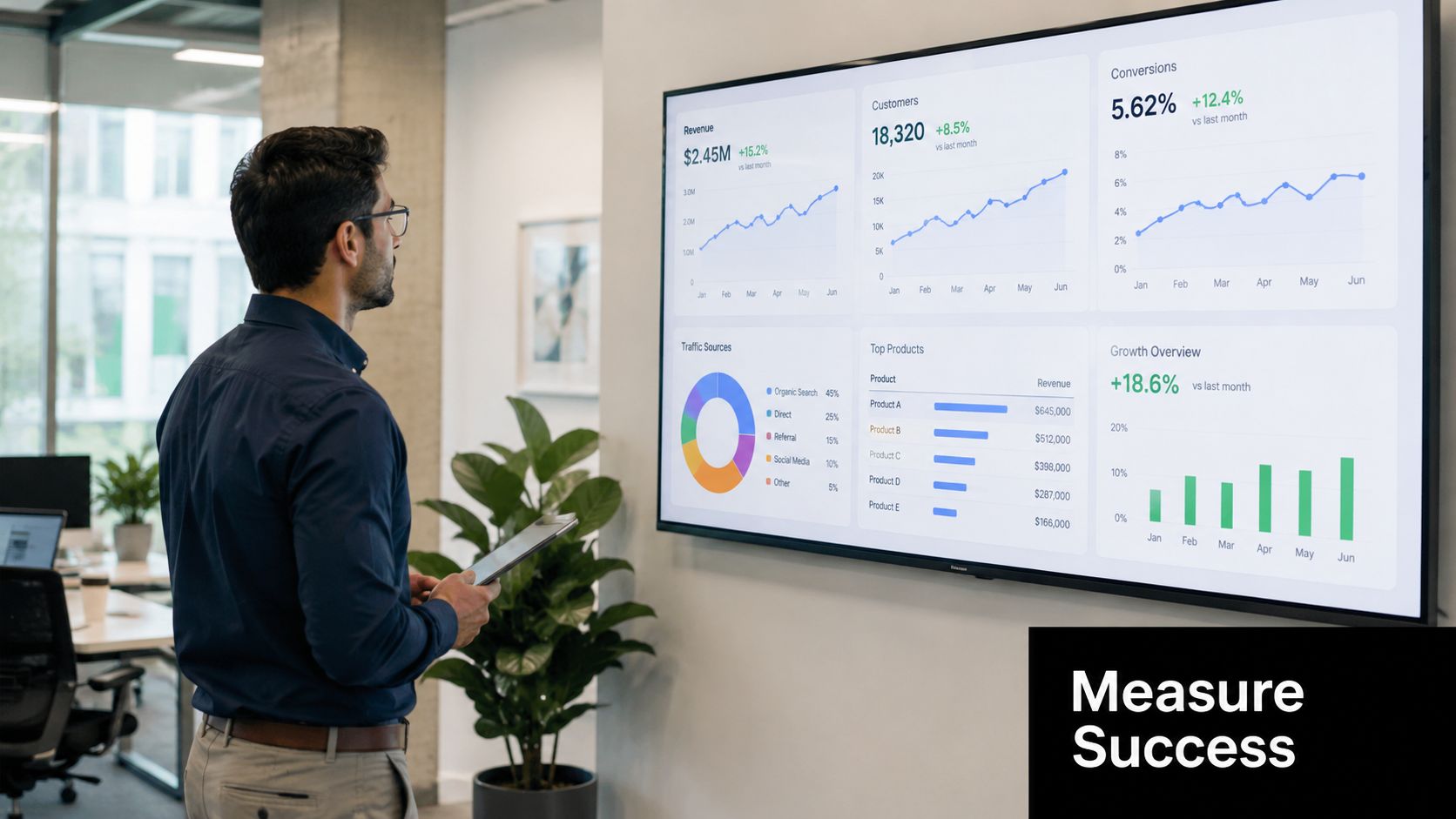
A central concern is whether automation simply automates poor triage more quickly. Success hinges on the quality of correlation rules, machine learning models, and enrichment data that convert raw alerts into actionable incidents. Without those, automation can increase noise rather than reduce it, as discussed in Vectra AI's analysis of incident response automation.
What to measure
Begin with metrics that show decision quality and response flow, not merely activity volume.
| KPI | Why it matters | What to watch for |
|---|---|---|
| MTTA | Shows whether routing and ownership improved | Fast acknowledgment with poor triage is not a win |
| MTTC | Measures how quickly the team contains credible threats | Delays often signal approval friction or missing integrations |
| MTTR | Captures full operational recovery effectiveness | Improvement here matters more than workflow counts |
| False positive handling load | Reveals whether automation is reducing or redistributing noise | Rising review effort means tuning is weak |
| Analyst touch time | Shows whether repetitive work actually dropped | If touch time stays flat, the playbook may be cosmetic |
You do not need flawless instrumentation from the start. You do need consistency. Choose a few measures, define them precisely, and keep those definitions stable long enough to reveal trend lines.
Why programs stall
The most typical failure pattern is clear. Organizations automate a flawed manual process, then celebrate because it operates faster. Bad decisions that run faster are still bad decisions.
Other recurring problems are less obvious:
- Noisy detections feed the pipeline: The workflow runs exactly as intended, yet the inputs were weak.
- Playbooks drift out of date: Ownership shifts, tools shift, escalation paths shift, and no one updates the logic.
- Disruptive actions lack stakeholder agreement: Security seeks speed. Operations seeks stability. Legal or compliance seeks review. If those decisions are not resolved in advance, the workflow stalls when it matters.
- Auditability gets ignored: A containment action with no captured context becomes difficult to justify later.
Track how much analyst effort declines, not only how many automated actions rise.
Many teams also sidestep a staffing reality. Automation does not remove operational work. It reshapes it. Connectors still need maintenance, logic still needs tuning, exceptions still need review, evidence still needs validation, and rollback paths still need testing. Initiatives that fund build but not maintenance tend to level off.
Teams in the best shape manage automation like a product within the SOC. It gains owners, release discipline, testing cycles, and measures of success.
Unifying Automation for Security and Compliance
Security teams frequently assemble incident response automation connector by connector. That method can work for a time. Then hidden costs appear. Detection sits in one tool. Workflow runs in another. The case is stored in a third. Evidence is mapped to control requirements in a fourth. By that point, any process improvement hinges on integration work.
A unified operating model eliminates much of that friction. The goal is not vendor consolidation for its own sake. The goal is to cut down the places where context is lost, response is delayed, or evidence is separated from the incident.
Why platform sprawl hurts automation
When data, detection, orchestration, and audit evidence live in separate systems, teams run into the same problems repeatedly:
- Context fragmentation: Analysts cannot view the complete incident narrative without switching among tools.
- Workflow brittleness: A minor shift in a single API or data field can disrupt a downstream playbook.
- Case inconsistency: The ticket reports one version, the SIEM reports another, and the endpoint console holds the detail that is missing.
- Compliance drag: After response concludes, teams must piece evidence together by hand.
That final point carries more weight than many CISOs anticipate. Regulated environments do not merely require quick response. They require response that can be proven. A platform with centralized log management provides teams a stronger basis for collecting records, preserving timelines, and connecting response actions back to policy and control requirements.
Where unified operations help most
Unification fits best in settings where security and compliance are already connected. Healthcare organizations need proof that response actions were governed. Financial firms need clear records showing who acted and why. Government contractors and other regulated operators often need response documentation that maps to frameworks such as CMMC, HIPAA, SOC 2, and PCI DSS.
A unified stack helps in three practical ways:
- Detection and response rely on the same context. This lowers the chance of misinterpretation between an alert and the action taken.
- Evidence is gathered while work takes place. Teams no longer have to rebuild incident timelines after the fact.
- Control mapping enters operational use. Compliance is no longer a standalone reporting task; it becomes embedded in the workflow.
Discipline in incident response automation produces returns. Not in abstract maturity ratings, but in daily execution. Fewer manual handoffs. Smoother escalation. Stronger containment decisions. Better records. Reduced friction among the SOC, IT, and audit teams.
If you're evaluating how to operationalize incident response automation without stitching together a fragile toolchain, Unified Security Stack merits evaluation as one option. It brings together SIEM, SOAR, XDR, and compliance workflows in one platform, which can streamline data ingestion, playbook execution, and evidence collection for hybrid environments.