User Activity Monitoring: Security & Compliance Guide
Many CISOs already recognize that insider risk is a problem for them. What they typically lack is clear visibility into user actions across endpoints, SaaS applications, identity systems, file stores, and administrative consoles when something appears off.
This gap appears in familiar ways. A privileged user exports data beyond their usual pattern. A contractor grants an OAuth permission that no one anticipated. An employee with valid credentials reads from a sensitive system they are permitted to access, but not at that volume, not at that time, and not from that device condition. Traditional perimeter controls will not detect that well because the activity often appears legitimate at the control plane.
This is where user activity monitoring ceases to be a niche capability and becomes part of the core security stack. In mature programs, it is not a standalone surveillance tool. It is a detection, investigation, and compliance evidence layer that makes a SIEM/XDR platform much more useful in day-to-day operations.
Table of Contents
- Why User Activity Monitoring Is Non-Negotiable Today
- Deconstructing User Activity Monitoring
- UAM Architecture and Essential Data Sources
- Detection Strategies and Event Correlation
- Navigating Privacy and Legal Considerations
- Best Practices for UAM Deployment and Tuning
- Implementing UAM with a Unified SIEM and XDR Platform
Why User Activity Monitoring Is Non-Negotiable Today
Most internal incidents do not start with clearly malicious code or a blocked firewall event. They start with someone doing something that looks authorized on its own. That is why user activity monitoring matters. It lets security teams examine behavior within the environment, where harm often occurs after access has already been given.
Hybrid work made that problem more difficult, not simpler. Users move among managed laptops, personal devices, VPN sessions, cloud apps, and identity providers. Admin rights are spread across infrastructure, SaaS, and business systems. Security teams can no longer depend on one choke point. They need a way to rebuild user behavior across the estate and determine whether an action is routine, careless, or actively harmful.
The business case is already apparent in market trends. The global User Activity Monitoring market reached an estimated USD 3.32 billion in 2025 and is projected to reach USD 14.89 billion by 2035, with a 17.45% CAGR, according to this UAM market projection. Growth of that kind typically points to a category shift. Security leaders are not buying user activity monitoring because it is trendy. They are buying it because insider misuse, credential abuse, and policy violations are hard to uncover with perimeter and signature-based controls by themselves.
User activity monitoring shows you whether access that appears valid is being used in a manner that raises risk.
In reality, the most compelling case is not constant monitoring of all users. It is visibility in the areas that matter. Monitor privileged changes. Monitor access to sensitive data. Monitor anomalous exports, permission adjustments, and administrative activity. Then link those signals to your broader threat detection and response strategy, so the SOC can respond before an internal action becomes a reportable incident.
Security teams that postpone this often encounter the same obstacle. They can gather logs, but they cannot clarify user intent, order actions across systems, or generate audit-ready evidence quickly enough when legal, HR, or compliance becomes involved.
Deconstructing User Activity Monitoring
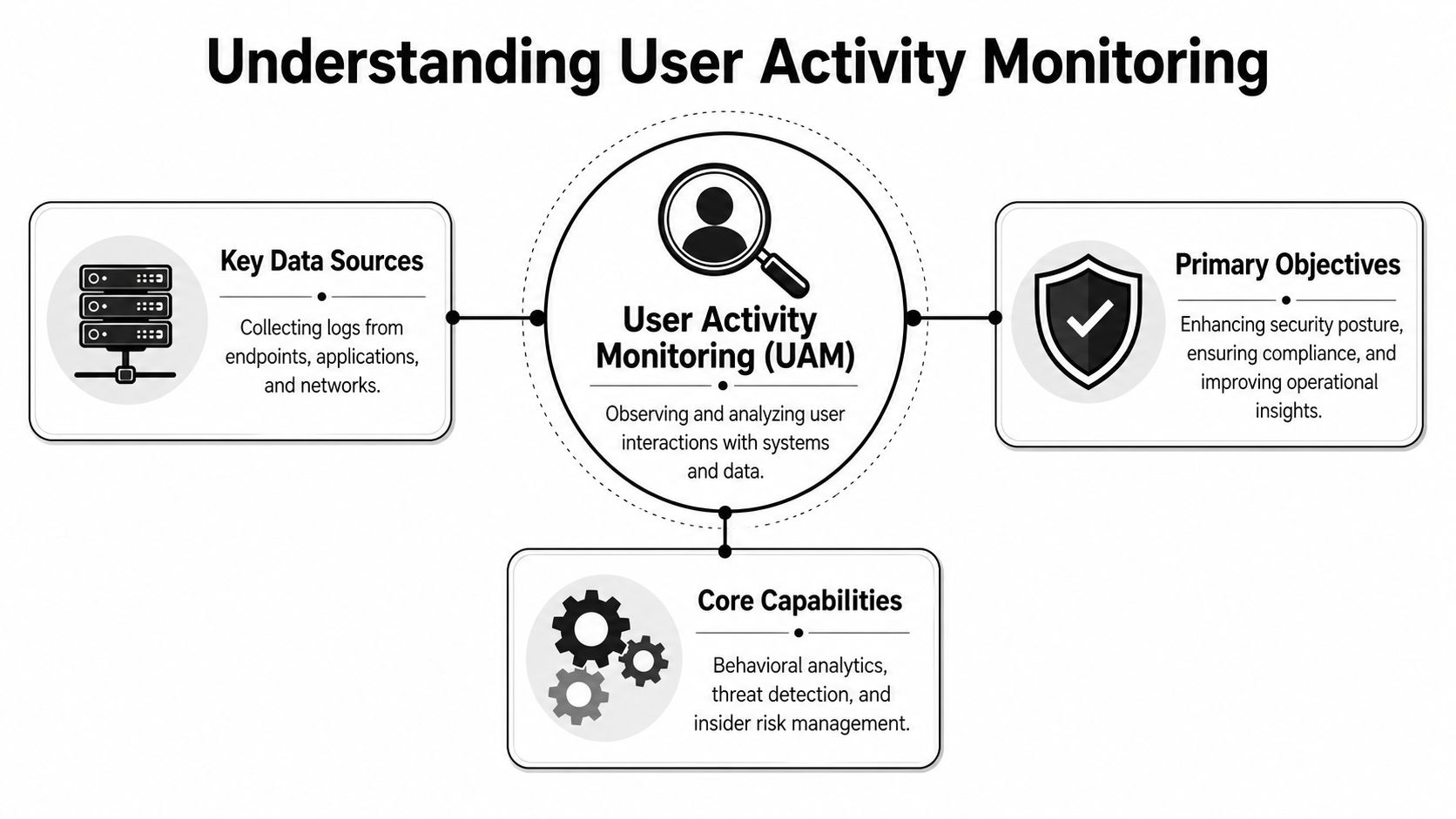
Consider user activity monitoring the security system for your digital premises. Badge readers log who came in. Cameras show where they traveled. Door alarms indicate forced entry. Within the enterprise, comparable signals encompass sign-ins, file-reading events, administrative commands, SaaS usage, permission modifications, and exports.
The difference is that digital environments are louder and much more distributed. A user can sign in to one system, access data in another, trigger an API action in a third, and leave traces across endpoint telemetry, cloud logs, and identity records. User activity monitoring brings those signals together so analysts can answer four basic questions: who acted, what they did, when they did it, and where it happened.
What UAM is actually for
A mature program usually serves three goals at once:
- Detect insider threats: Identify behavior that deviates from normal usage or exceeds a security threshold.
- Produce compliance evidence: Reveal who accessed sensitive systems, what was changed, and whether that access matched policy.
- Accelerate investigations: Rebuild activity rapidly after a suspected compromise, data handling problem, or policy violation.
That is why the way it is framed matters. If an organization treats UAM as broad employee surveillance, the program typically fails. It generates resistance, weak governance, and an excess of low-value data.
Strategic intent: User activity monitoring should safeguard systems and data, not capture everything a person does simply because the technology is capable of it.
What good visibility looks like
Effective UAM does not begin by recording every possible interaction. It begins by defining the actions that matter to risk and control objectives.
That usually includes:
- Identity events: Logins, failed authentication, MFA changes, OAuth grants, and role assignments.
- Privileged actions: Administrative actions, policy modifications, account provisioning, permission updates, and emergency access usage.
- Sensitive data interactions: Actions to read, write, copy, export, and delete data on regulated or high-value assets.
- Session context: Context on device, application, and location, plus the order of associated actions.
Leading programs also distinguish routine workforce telemetry from high-sensitivity oversight. A finance administrator changing permissions in a production system should never be monitored like a typical user launching everyday business applications. Risk should determine scope.
UAM Architecture and Essential Data Sources
User activity monitoring breaks down when teams look to one data source for everything. Endpoint telemetry alone will not reveal what happened in a SaaS tenant. Cloud audit logs will not reveal what happened on the workstation before the upload. Identity logs will not reveal whether the user read, exported, or deleted the data involved.
An effective architecture brings together multiple streams, normalizes them, and routes them to a shared analysis layer. Usually, that involves feeding them into a SIEM or a platform designed for centralized log management, then adding identity, asset, and policy context to events.
What the platform must collect
The most effective UAM implementations draw on these categories.
| Comparison of UAM Data Sources | Data Captured | Pros | Cons |
|---|---|---|---|
| Endpoint agents | Process execution, file access, local logins, device events | Deep host context, good for forensic timelines | Requires deployment and maintenance on managed devices |
| Identity providers | Authentication, MFA events, role changes, OAuth grants | Strong user attribution, catches account abuse early | Limited visibility into what happened after login |
| Operating system and application logs | User actions, service events, admin operations | Broad system coverage, familiar to SOC teams | Quality varies by product and configuration |
| SaaS and cloud APIs | Access to cloud apps, admin actions, sharing, exports | Critical for hybrid work and business app visibility | API coverage differs across vendors |
| Database activity logs | Query activity, reads, writes, schema changes | High value for regulated data monitoring | Tuning can be complex in busy environments |
| Network telemetry | Session metadata, movement between systems, transfer patterns | Good for context and lateral movement clues | Usually lacks user-level action detail without enrichment |
That is why architecture choices count more than feature checkboxes. Every source has gaps. Correlation is what makes them into a coherent view.
Why behavior analytics matters more than raw logging
The market has already moved from collection toward analytics. Behavior analytics solutions hold the largest UAM market share at 45%, followed by log management at 30%, according to Mordor Intelligence's user activity monitoring market analysis. This matters because raw logging alone seldom solves the detection problem.
Security teams do not need more records they cannot act on. They need systems that can compare a user's current activity with normal patterns, role expectations, and asset sensitivity. Logs tell you that something occurred. Analytics helps you determine whether it warrants attention.
If your UAM stack merely stores events, analysts must still interpret them by hand. That does not scale in a busy SOC.
The practical design goal is straightforward. Gather enough data to explain the event, but not so much low-value telemetry that investigators are overwhelmed by noise.
Detection Strategies and Event Correlation
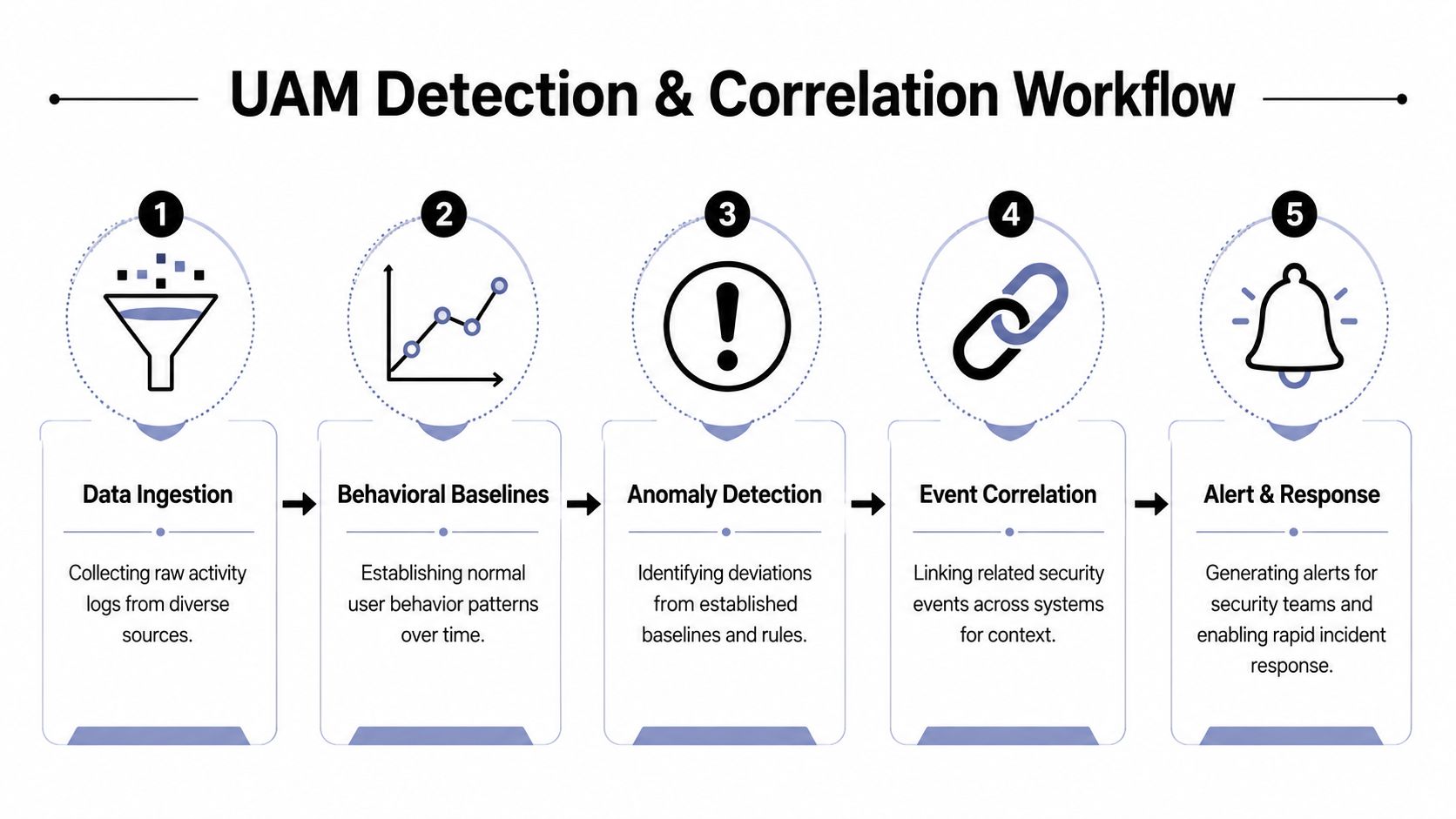
UAM programs typically miss threats in two ways. They either depend too much on static rules or place too much trust in anomaly detection without sufficient context. Effective detection engineering uses both.
A rule proves useful when the action carries risk on its own. A privileged role assignment made outside change control ought to trigger. A bulk export from a sensitive repository ought to trigger. Repeated unsuccessful attempts to reach restricted data ought to trigger. Such rules are deterministic and defensible.
Rules catch known bad behavior
Rule-based detection is most effective for events directly linked to policy, compliance, or clear abuse. Useful examples include:
- Privilege misuse: A new admin role, an unexpected change in group membership, or use of an emergency account.
- Sensitive data handling: A large export, an unusual deletion pattern, or access to restricted records outside normal workflows.
- Application control issues: An unusual OAuth grant, logging that has been disabled, or tampering with audit settings.
Rules provide clear coverage. They also correspond neatly to frameworks such as HIPAA, PCI, GLBA, and CMMC, since they line up with control language and audit inquiries.
Baselines add the missing context
Behavioral analytics addresses a separate problem. It enables you to assess whether an action is unusual for a particular user, role, or asset. As reported by Anzenna's explanation of UAM for insider threat detectionUser activity monitoring operates by turning raw event logs into behavioral baselines, then generating alerts when deviations appear, such as mass downloads or unusual OAuth grants, while correlating identity, endpoint, and SaaS logs.
That is the real difference between a noisy alert and a high-fidelity one. A download event by itself might be harmless. A download event from a user who seldom accesses that repository, from a newly unmanaged device, followed by sharing activity in a cloud app, tells a different story.
Practical rule: Avoid alerting on isolated events when the risk actually lies in the sequence.
A SOC should build UAM detections around chains of activity, not single records. Common correlation patterns frequently include:
- Account takeover sequence: A risky sign-in, an MFA reset, privileged access, and then export activity.
- Insider exfiltration sequence: Reads of sensitive files, compression or staging behavior, followed by outbound transfer or cloud sharing.
- Privilege escalation sequence: A permission change, admin console access, modification of audit settings, and then unusual object access.
Platforms using event correlation and artificial intelligence possess an advantage. They can augment a user action with endpoint state, identity context, and related system events before the analyst views the alert. This lowers false positives and reduces investigation time because the platform shows the narrative, not merely the fragments.
Navigating Privacy and Legal Considerations
Nothing undermines a UAM program faster than introducing it as covert surveillance. Employees will catch on. Legal notices become imprecise. HR becomes involved only after the fact. Security forfeits credibility.
A better approach is both more targeted and more resilient. Monitor the actions that are relevant to security, compliance, and investigations. Do not collect personal content by default. That distinction extends beyond messaging. It must be embedded in technical controls, retention decisions, and access governance.
Monitor actions, not private content
Industry guidance is unambiguous here. NordLayer's guidance on user activity monitoring warns organizations to “avoid capturing personal content by default” and focus on “security-relevant user actions” including privilege changes and access to sensitive data.
This is the appropriate standard for most enterprises. Practically, it means prioritizing metadata and administrative actions over invasive content collection. Track when a file was accessed, exported, or deleted. Track when a privilege changed. Track when a user granted a new application permission. Do not design your default program around reading personal communications or retaining unnecessary content that increases legal exposure.
A defensible UAM policy usually includes:
- Clear scope: Specify which systems, roles, and action types are monitored.
- Documented purpose: Link collection to threat detection, incident response, and compliance requirements.
- Restricted access: Restrict who may review activity data, under which conditions, and with what approvals.
- Retention discipline: Retain what investigators and auditors require. Eliminate what they do not.
Policy language has to match technical controls
Many privacy issues stem from a mismatch. The policy states that the company monitors for security purposes, yet the tool collects much more than that. Or the legal notice is broad enough to permit anything, but the security team has not configured exclusions, masking, or role-based review permissions.
Regulated industries must be particularly cautious. If you operate across regional privacy requirements or complex data-handling obligations, it is useful to examine how broader privacy programs are organized in adjacent sectors. This case study on global automotive privacy solutions is valuable because it demonstrates how organizations can link compliance goals, governance controls, and business operations without making privacy an afterthought.
Security teams build trust by being able to state precisely what they watch, why they watch it, and what they choose not to cover.
Transparency at that level cuts down on pushback and simplifies audit discussions.
Best Practices for UAM Deployment and Tuning
Most UAM deployments do not fail for lack of features. They fail because the rollout scope is too wide, alerts are too noisy, and nobody defines what good looks like for the analysts who run the system daily.
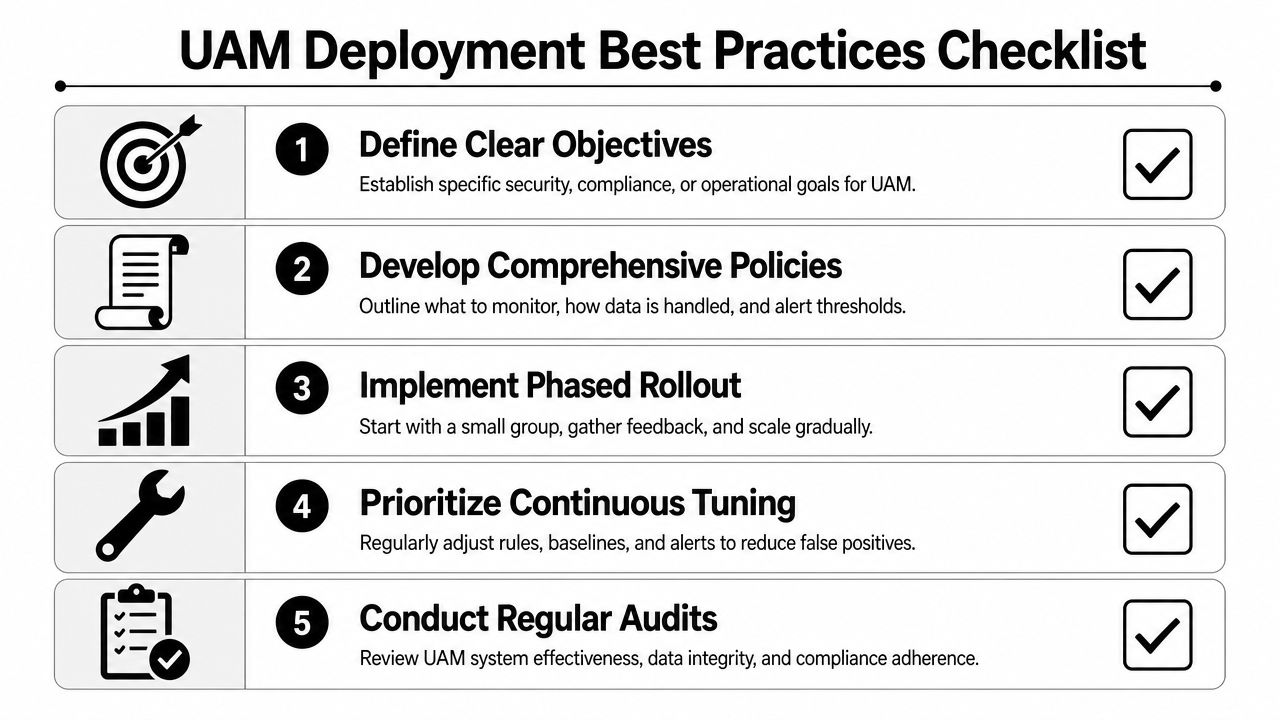
An effective rollout begins with a focused risk view. Select several high-value systems, a small set of privileged users, and a brief list of meaningful actions. Demonstrate that the program can generate useful alerts and investigation timelines before broadening scope.
Start narrow and prove signal quality
The strongest first phase typically focuses on privileged access and sensitive data workflows.
Use a rollout pattern like this:
- Begin with admin paths: Track permission changes, privileged sessions, break-glass accounts, and configuration edits.
- Add regulated data access: Observe read, export, delete, and share activity for systems connected to HIPAA, PCI, GLBA, CMMC, or ISO 27001 requirements.
- Expand by risk tier: Add wider user groups only once baselines and exception handling are steady.
This order works because privileged misuse and sensitive data handling tend to yield the highest-value signals. It also provides compliance teams with immediate evidence advantages.
Tune for analyst workflow, not vendor defaults
Default detections seldom arrive production-ready. Thresholds that seem sensible in a product demo often create excessive noise in live environments, since each organization has distinct workflows, admin behaviors, and cloud app usage.
Teams get better results when they tune around these questions:
- Which alerts need immediate human review? Give top priority to actions that carry direct business or regulatory impact.
- Which patterns should add context to other alerts rather than trigger on their own? Many user actions serve as useful context, not independent incidents.
- Which users require tailored baselines? Administrators, service owners, finance teams, developers, and contractors each act in different ways.
A tuned program also requires response playbooks. When a rule flags an unusual OAuth grant, someone must know if the next step is revocation, user validation, token review, or deeper account investigation. When a data export alert triggers, the playbook should specify containment actions and evidence preservation.
The true output of UAM is not an alert. It is a faster, more accurate choice about whether to contain, escalate, or close.
Judge success by operational results, not event count. The questions that matter are whether analysts can investigate more quickly, whether fewer alerts need manual stitching across tools, and whether audit evidence is easier to retrieve when compliance requests it.
Implementing UAM with a Unified SIEM and XDR Platform
User activity monitoring provides the greatest value when it sits within the same platform that manages detection, triage, response, and compliance reporting. If UAM data remains in a silo, analysts must still switch between tools, reconstruct timelines by hand, and export evidence manually.
This is why unified architecture is important.
Why consolidation changes the outcome
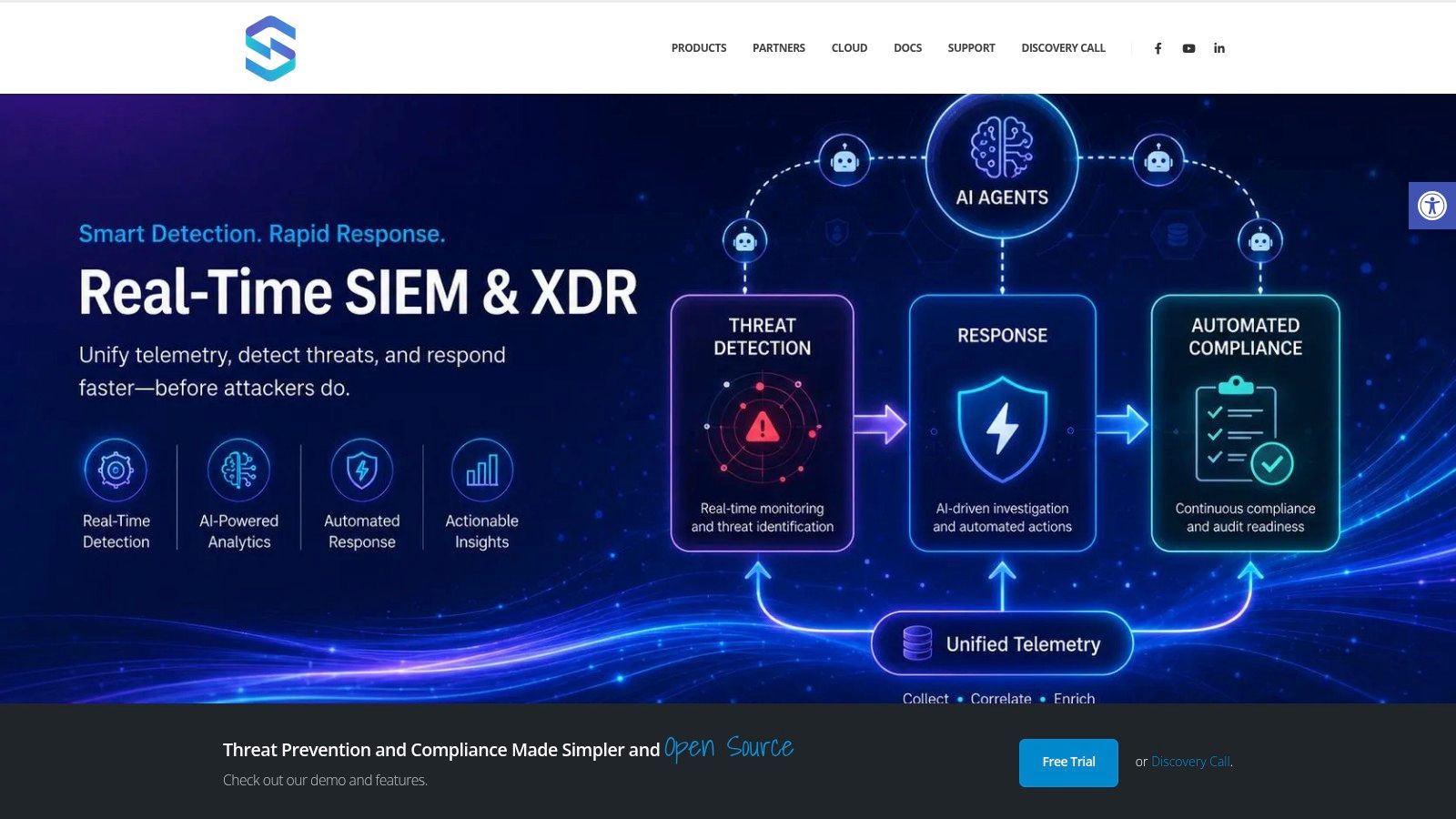
In a unified SIEM/XDR model, user activity is one signal among many. A suspicious file export can be linked with identity anomalies, endpoint telemetry, threat intelligence, vulnerability context, and response actions in one workflow. That differs substantially from treating UAM as a separate audit function.
One example is Unified Security StackIt combines SIEM, SOAR, and XDR functions with log ingestion from cloud services, endpoints, network devices, APIs, Syslog, NetFlow, and agents, plus compliance mapping for frameworks such as HIPAA, CMMC, PCI, GDPR, GLBA, SOC 2, and ISO 27001. Under that model, user activity monitoring data is directly usable for SOC operations and audit evidence alike.
That matters for daily work:
- Analysts investigate in one place: They can piece together a sequence without moving between endpoint, identity, and SaaS consoles.
- Response can be automated: Playbooks may include accounts, set off review workflows, or add case context when user behavior passes a threshold.
- Compliance evidence stays attached to detections: Reporting on control validation and incident history is more straightforward.
For a closer look at how a unified platform presents this workflow, this overview is useful:
Compliance gets easier when evidence is centralized
CISOs typically recognize the broader benefits. The user activity logs that enable SOC investigations into access misuse also support compliance teams in addressing auditor inquiries. Topics include who accessed regulated data, who modified permissions, which privileged accounts were involved, what response measures were taken, and whether the chain of evidence remained unbroken.
Isolated tools may gather fragments of that. Unified platforms turn it into an operational capability.
If you're evaluating how to bring user activity monitoring into your SIEM/XDR and compliance workflow, Unified Security Stack merits review as an open-source choice for centralized detection, automated response, auditing of access activity, and audit-ready evidence management across hybrid environments.