Digital Evidence Preservation: Master Your Workflow
A high-confidence alert reaches the queue. An endpoint seems compromised, a cloud workload is beaconing, and someone on the incident bridge calls for immediate isolation. That is when evidence preservation tends to break down. A rushed reboot destroys volatile data. A containment script leads logs to rotate. An analyst exports files without applying hashes. The incident is contained, but proof of what happened is damaged before the investigation truly starts.
Every mature SOC will eventually encounter this issue. The concept is simple: keep originals, document handling, confirm integrity. The operational reality is more difficult. Teams operate across endpoints, cloud services, SaaS applications, and chat platforms. They require rapid containment and rigor for admissibility. These priorities can align, but only when the workflow is intentional and automated in the right places.
For security teams that rely on SIEM, XDR, and SOAR tools, evidence preservation cannot remain a legal afterthought. It must become part of the incident pipeline itself. The practical approach is to make preservation a control objective: collect volatile state first, produce defensible copies, centralize logs, document every handoff, and apply retention with integrity checks that withstand audits and investigations.
Table of Contents
- Initial Containment and Volatile Data Capture
- Forensic Imaging and Secure Log Collection
- Establishing an Unbreakable Chain of Custody
- Meeting Compliance Demands for Digital Evidence
- Automating Preservation with a SIEM and SOAR Playbook
- Long-Term Storage and Integrity Verification Strategies
Initial Containment and Volatile Data Capture
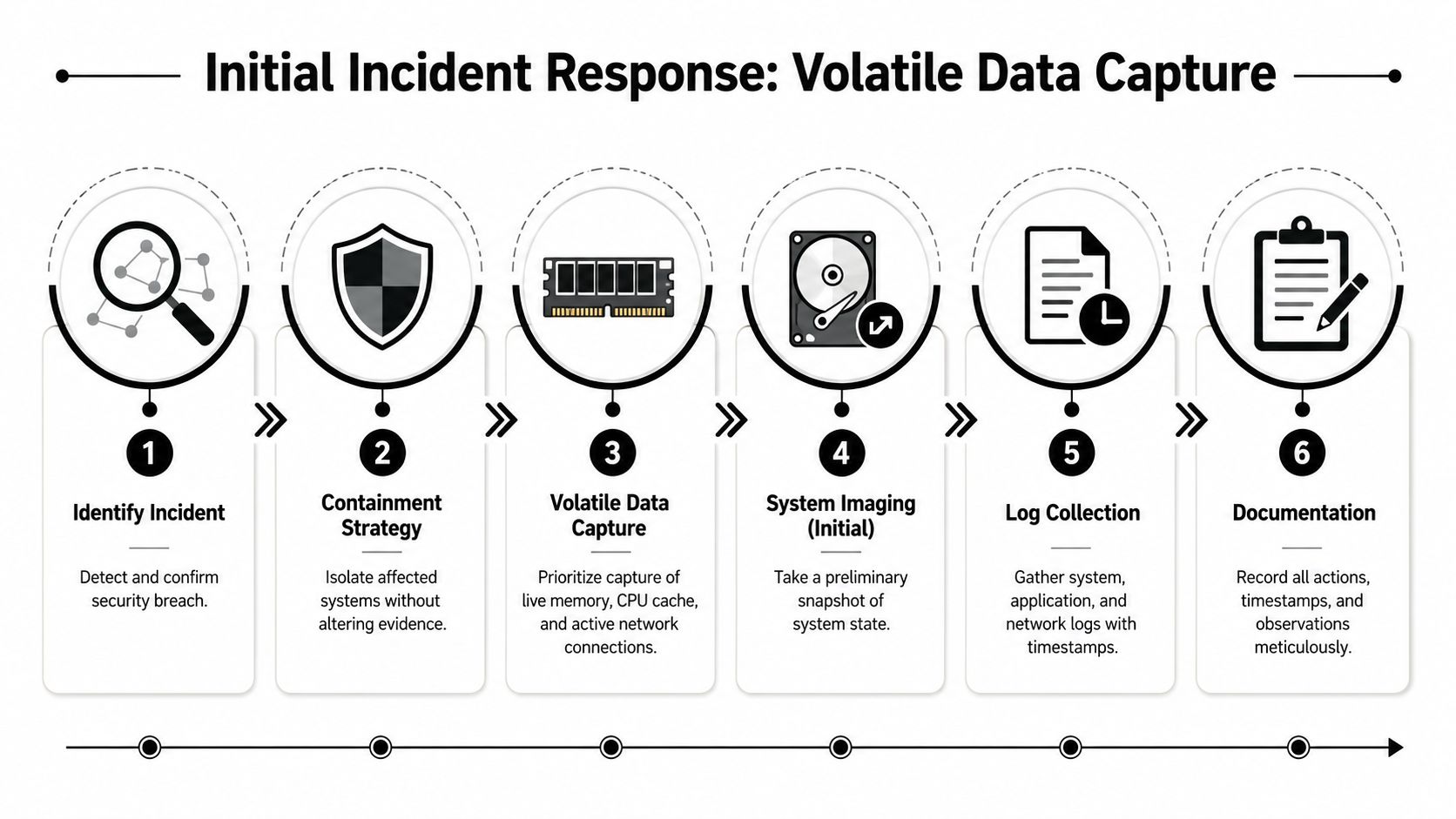
An initial misstep during incident response often cannot be undone. If a host remains powered on, do not shut it down merely because that seems safer. Common pitfalls in evidence preservation, including improper power management and failure to suspend auto-delete routines, account for 62% of forensic evidence rejections in court, and powering off an active device before capturing volatile data is a primary contributor according to this evidence preservation analysis.
What to do in the first hour
Containment must safeguard the environment while leaving the scene unchanged. This typically requires logical isolation before destructive action. For an endpoint, choose network isolation through EDR or switch controls instead of shutting it down. For a mobile device, isolate the radios. For a cloud workload, pause risky automation first so snapshot or log retention data does not vanish while responders discuss the next move.
A practical sequence works better than improvisation:
- Confirm the signal. Confirm the alert reflects an actual security event and record the detection time in UTC.
- Pause destructive routines. Halt auto-deletion, log rotation, backup overwriting, and short-retention cleanup tasks associated with the affected asset.
- Isolate carefully. Prevent external communications without erasing the running state.
- Capture volatile data. Focus first on memory, active processes, open network connections, live sessions, and temporary artifacts.
- Record every actionRecord who accessed the asset, at what time, and for what reason.
Practical rule: When a system is live and memory has not been captured yet, every power decision is an evidence decision.
The attacker's working context resides in volatile data. Memory may expose injected code, decrypted payloads, command execution traces, network sockets, and keys that will not exist after the machine restarts. In ransomware cases, live memory can determine whether you understand execution flow or stare at encrypted disks with no runtime context. For credential theft, active sessions and process trees often reveal more than the file system alone.
What breaks evidence fastest
Teams typically damage evidence in two ways. The first is panic. Someone disconnects the host or restarts it to stop the spread. The second is automation not designed for forensics. Retention jobs keep running, temporary stores roll over, and endpoint tools remove artifacts before anyone preserves them.
Use a short no-go list during the golden hour:
- Don't reboot first. You will lose evidence held in memory and possibly malware context.
- Don't run cleanup scripts. Any action that deletes binaries, temporary folders, or scheduled tasks alters the record.
- Don't trust screenshots alone. Such tools are useful, but they are not a substitute for memory capture, exported logs, and proper documentation.
- Don't collect without timestamps. If your notes are not in UTC and tied to an operator, timeline work becomes messy quickly.
A methodical responder thinks in layers: preserve what disappears first, then stabilize the asset, then expand collection around it. That sequence holds up under pressure because it matches how evidence decays in modern incidents.
Forensic Imaging and Secure Log Collection
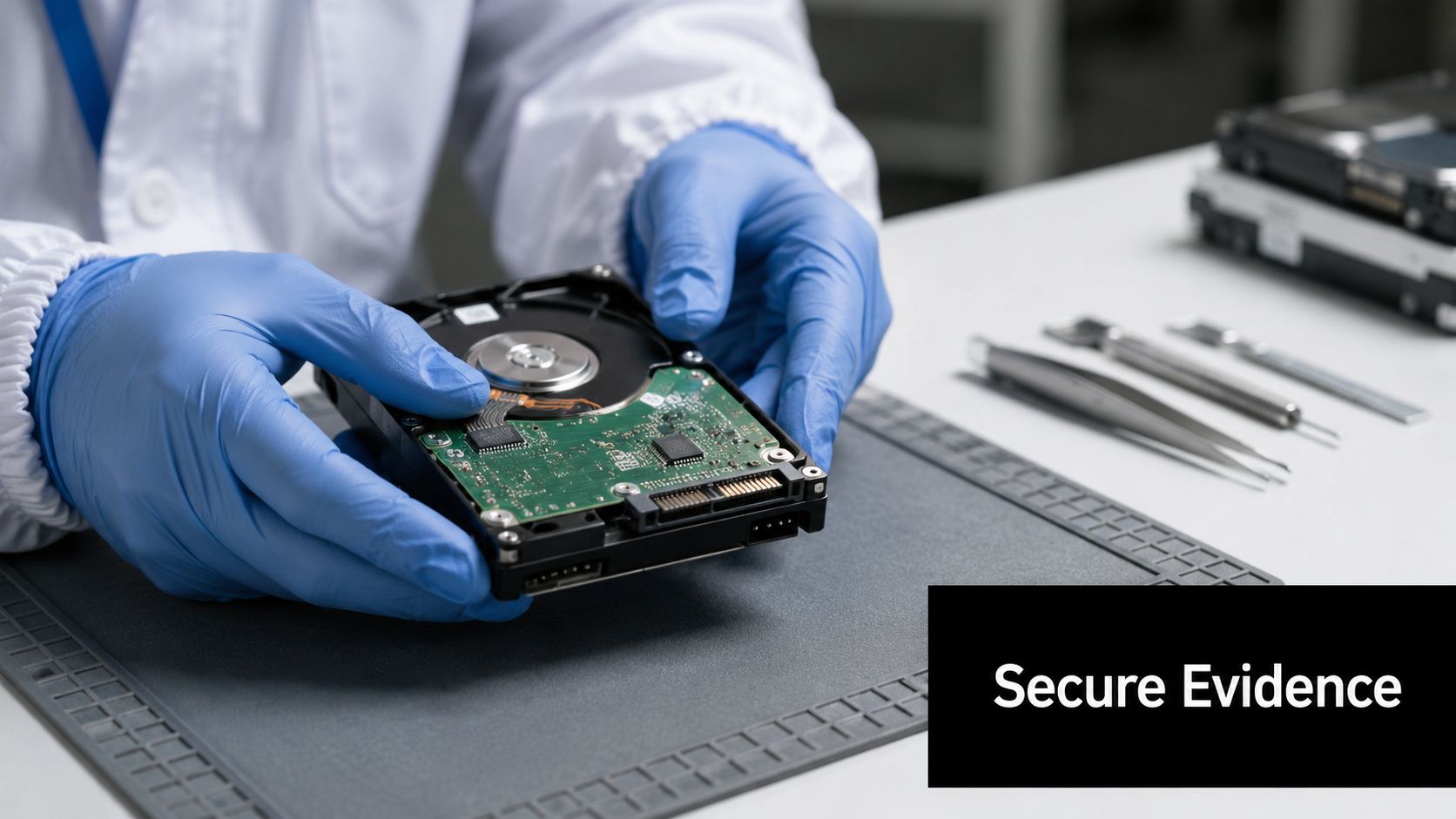
Once volatile state has been captured, stop treating the remaining system as a backup issue. It is not one. You need a forensic duplicate that preserves slack space, deleted artifacts, metadata, and file system structure without altering the original media.
A forensic image is not a backup
A standard backup is designed for recovery. A forensic image is designed for proof. That difference matters in every breach review, internal investigation, and legal dispute.
A forensic bit-by-bit imaging workflow that uses hardware write blockers can achieve 99.8% data integrity success, and the process requires cryptographic hash verification such as SHA-256 at creation and periodically during storage according to the documentary evidence preservation guidance. Practically speaking, this keeps the source drive unaltered as you produce a validated copy for examination.
The operational standard is straightforward:
- Use a hardware write blocker so the forensic workstation cannot alter the source media.
- Create a bit-for-bit image instead of copying selected directories.
- Calculate a cryptographic hash immediately and retain it in the case record.
- Work from the copy only. Analysts must avoid reviewing the original image in any manner that could change it.
- Re-verify hashes during storage so prolonged cases do not slide into arguments over integrity.
If your team needs a primer from outside cybersecurity tooling, this guide to forensic evidence collection is valuable for considering disciplined handling. The contexts are not the same, but the principle remains: collection practices decide how much trust endures scrutiny.
Centralize logs before the timeline fragments
Disk imaging by itself cannot show how the incident progressed. You also require a consistent event record spanning cloud control planes, firewalls, identity systems, endpoints, and collaboration tools. The difficulty in hybrid environments is that every source applies different timestamps, field names, and retention defaults.
A centralized pipeline addresses correlation only when collection occurs early. Gathering logs days afterward generally means cloud activity, ephemeral compute events, or security tool telemetry are already gone. Use APIs when possible, Syslog where appropriate, and endpoint or workload agents when the source is too scattered for one-time exports.
A mature workflow should preserve at least these categories:
| Evidence Type | Why It Matters | Common Failure Mode |
|---|---|---|
| Endpoint logs | Process launches, persistence, user actions | Local retention too short |
| Network logs | Lateral movement and egress | Device rotation overwrites events |
| Cloud audit logs | Control plane actions and IAM changes | Incomplete export scope |
| Authentication records | Account abuse and session history | Time skew across systems |
For teams building that pipeline, centralized log management matters because it gathers those records into a single searchable location before analysts begin pursuing fragments across consoles. The image establishes a system's state. The logs reveal how it reached that state.
Establishing an Unbreakable Chain of Custody
Even robust technical collection falls short when nobody can show who handled the evidence and when. That may seem bureaucratic until a challenge focuses on a timeline gap, an unexplained file rename, or a hash not recorded during transfer. Then documentation stops being supporting material. It becomes the central issue.
Between 2018 and 2021, failures in evidence preservation led to the collapse of 20,838 criminal cases in the UK, including 42 homicide cases, as detailed in this analysis of evidence loss and legal outcomes. The lesson for cybersecurity teams is clear: if evidence handling fails, the whole case may fall apart even when the underlying facts were true.
Documentation decides whether evidence survives challenge
A chain of custody answers four questions each time an item changes hands: what is it, who handled it, when did that occur, and what changed. If your process cannot answer all four clearly, the evidence is exposed.
This holds equally for physical devices and digital artifacts. A seized laptop requires a documented intake. The same is true for a memory dump, exported audit log bundle, screenshot archive, disk image, or packet capture. Analysts frequently document collection well but become careless during transfers, review copies, and later exports to legal or compliance teams. That is where doubt enters.
The evidence alone is insufficient. You must also preserve the story behind the evidence.
Modern security teams should likewise regard platform actions as custody events. Query exports, case file attachments, analyst comments, and hash calculations all become part of the handling history. If you are creating a more formal process, this resource on creating chain of custody for digital evidence serves as a useful reference for the documentation side.
A simple custody record that works
Keep the record simple enough for responders to maintain during an active incident. The log does not require legal theater. It requires precision.
Sample Chain of Custody Log Entry
| Case ID | Evidence Item # | Description | Collected By | Date/Time (UTC) | Action Taken | SHA-256 Hash |
|---|---|---|---|---|---|---|
| IR-2026-017 | E-003 | Disk image from finance-laptop-07 | A. Patel | 2026-07-18 14:22 UTC | Created forensic image via write blocker and transferred to evidence vault | [record hash value] |
Use this model consistently:
- Case ID first so each artifact ties back to one incident record.
- Evidence item numbering to tell source media apart from working copies and exports.
- UTC timestamps only because investigations spanning regions break down when local time enters the notes.
- Action language that states facts. Marking an item as transferred to the encrypted evidence store is preferable to marking it processed.
- Hash values at each critical stage for files that can be checked digitally.
A custody log should also record storage location and access approvals, even when those fields reside in the case platform instead of the table above. Continuity is the key. If someone else must explain your handling six months later, they should not need your recollection to do so.
Meeting Compliance Demands for Digital Evidence
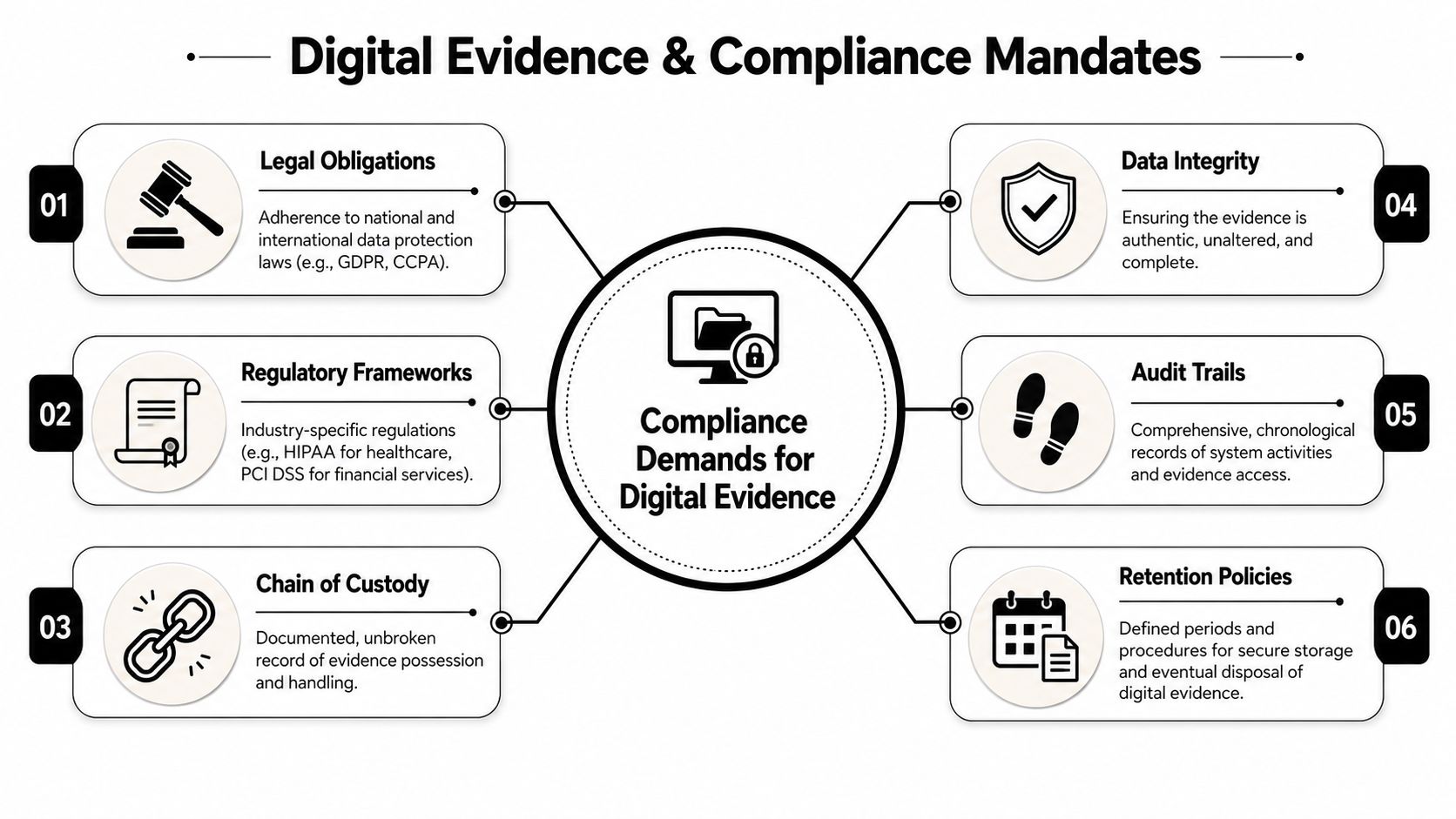
Most organizations do not preserve evidence only for possible litigation. They preserve it because regulated operations require records that are reviewable, attributable, and kept long enough to support audits, investigations, and breach response. That shifts the discussion from whether enough was collected to whether control operation can be proven with defensible evidence.
How preservation maps to regulated environments
Healthcare serves as a strong example since its operational requirements are clearly defined. For HIPAA compliance, a seven-step operational workflow is mandated, including inventorying all systems with ePHI, integrating their data sources into a monitoring platform like a SIEM, and enabling rules to detect and alert on compliance violations and anomalous access patternsas described in the HIPAA monitoring workflow guidance.
That process has clear evidence retention consequences. Without an inventory of systems containing ePHI, you cannot know which evidence sources are available during an incident. If those systems are not connected to monitoring, your audit trail is incomplete before the breach even begins. If alerting rules are not turned on, investigators may fail to gather records showing unauthorized access patterns in time.
The same logic applies beyond HIPAA:
- CMMC requires structured incident response and asset visibility. Evidence preservation reinforces both.
- PCI-aligned investigations rely on preserved logs, access that can be attributed, and prompt retrieval of records for review.
- SOC 2 and ISO-oriented audits favor teams that gather evidence as part of normal operations rather than reconstructing it under time pressure.
Audit reality: Auditors seldom accept assurances that a control would have generated evidence. They want the record that already exists.
If your organization deals with regulated financial activity and supervision questions, broader reading on compliance risk management for traders can help explain how evidence practices support governance beyond security operations alone.
What auditors actually need to review
Auditors and compliance reviewers typically seek four qualities in digital evidence: completeness, time alignment, attribution, and retention that enables review. This requires logs with normalized identities, consistent timestamps, preserved case notes, and a retrieval path that does not rely on one analyst recalling where the export was saved.
A workable compliance evidence package often includes:
- The triggering event for example, the alert, detection rule, or audit exception.
- The underlying records covering related logs, snapshots, and investigator notes.
- Proof of integrity via hashes or immutable storage controls.
- A disposition trail documenting what responders did and the reasons for it.
Teams that build preservation into everyday monitoring face assessments with far less difficulty. Teams that improvise during an audit often deliver screenshots, incomplete exports, and explanations rather than evidence.
Automating Preservation with a SIEM and SOAR Playbook
Manual evidence preservation cannot scale in a busy SOC. It relies on the correct person recalling the correct sequence under pressure. That is not a process. That is luck with a runbook attached.
Why automated response often destroys the record
SOAR teams prioritize response speed. Forensics teams prioritize integrity. When those workflows remain separate, automation often prevails by deleting the exact evidence investigators needed.
While 74% of security teams prioritize mean-time-to-respond, 42% of compliance audits fail because automated containment playbooks overwrite logs or terminate VMs before forensic snapshots are captured, according to this review of SOAR and compliance gaps. That is the central trade-off. Rapid containment may be the wrong initial step when the host, workload, or account still holds unrecovered evidence.
The fix is not “slow down.” The fix is sequence. Automate preservation ahead of destructive containment. In a modern stack, this requires the alert to initiate data capture steps prior to isolation, suspension, or rollback.
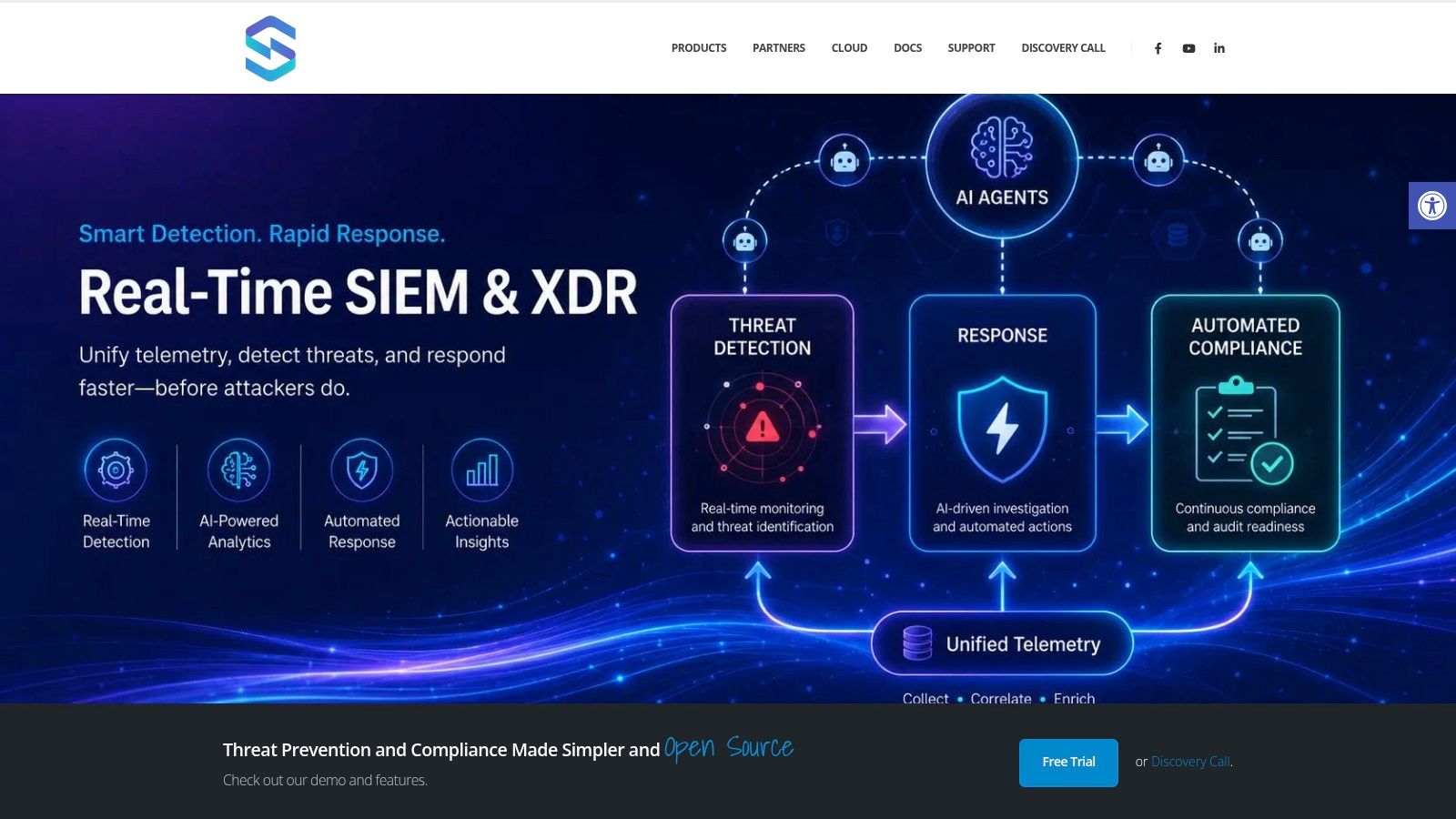
One approach is to embed this process in a platform that unifies detection, incident handling, and orchestration. For instance, security orchestration tools can be applied to encode preservation-first playbooks so the case record, evidence capture, and response actions remain linked in a single workflow.
A usable preservation-first playbook
The playbook below is suitable for endpoint, server, and cloud incidents in which evidence might vanish rapidly.
Trigger condition
High-confidence malware execution, suspicious lateral movement, an impossible-travel identity alert linked to privileged access, or an analyst-approved escalation from triage.
Playbook sequence
Create the incident record
- Apply a UTC stamp to the opening time.
- Include the alert that triggered it and source system identifiers.
Pause destructive retention actions
- Disable auto-delete routines where feasible.
- Suspend log rotation or short-term overwrite activity for affected sources.
Capture volatile and near-volatile evidence
- Request endpoint memory capture if the host is still running.
- Retrieve running process details, active connections, and session context.
- For cloud workloads, generate a forensic snapshot prior to termination.
Collect surrounding logs
- Pull a limited time window surrounding the alert from identity, endpoint, network, and cloud sources.
- Add the systems directly upstream and downstream from the affected asset.
Hash and register artifacts
- Compute SHA-256 for every file collected.
- Enter the hash, collector identity, and timestamp in the incident record.
Proceed to containment
- Isolate the host.
- Disable or suspend accounts when that step won't destroy remaining evidence sources.
- Block malicious communications and record the policy change in the case notes.
Promote to investigator review
- Deliver originals and validated copies separately.
- Limit write permissions on preserved artifacts.
The operating principle is simple: capture first, contain second, investigate from copies.
What to automate and what to keep manual
Not every step should be automated. Some should.
Automate these aggressively:
- Evidence ticket creation along with time stamps and source labels.
- Snapshot and memory collection requests where agents or cloud APIs allow for them.
- Hashing and artifact registration since entering data manually invites mistakes.
- Short-window log pulls from the primary systems tied to the alert.
Keep these under analyst control:
- Scope expansion when an incident reaches systems vital to the business.
- Privilege-impacting actions for instance, account suspension for executive or shared service identities.
- Interpretation of ambiguous evidence such as whether a process tree indicates malware, administrative work, or software deployment.
A walkthrough helps teams visualize how this should look inside the SOC workflow:
The best automation doesn't replace forensic judgment. It eliminates the fragile steps analysts overlook when the queue is full and pressure is high.
Long-Term Storage and Integrity Verification Strategies
A collection workflow is only as strong as its storage practices. If evidence sits on an analyst share, is renamed three times, or resides in a bucket without access controls, the integrity story weakens long before the case closes. Long-term evidence preservation requires a repository built for review, not convenience.
Store for investigation first and archive second
Active evidence and archived evidence serve different purposes. Active evidence requires quick retrieval for analysts, legal review, and follow-up collection. Archived evidence requires durability, restricted access, and immutability. Don't merge them into the same storage tier unless you accept trading either speed or control.
A defensible repository should include:
- Role-based access controls so that only authorized responders, investigators, or auditors can reach case artifacts.
- Immutable or append-only storage for final evidence sets and exports of closed cases.
- Separate working copies from originals so examination never taints preserved material.
- Attached case context such as collector identity, timestamps, hashes, and notes.
For digital artifacts kept online for extended periods, teams should also monitor the repository itself for unauthorized changes. This is where file integrity monitoring fits. It adds another control layer around evidence stores, exported reports, and case-related files that should stay stable once preserved.
Preserve evidence as you would expect to defend it: restricted, verifiable, and easy to retrieve without rewriting history.
Physical media still matters in certain cases. If you're keeping original drives, removable media, or incident hardware, environmental controls matter too. Documented evidence-handling guidance calls for storage environments maintaining 18–22°C temperature, 40–50% relative humidity, and anti-static shielding to lower degradation risk, as outlined in the earlier preservation guidance.
Retention and recurring integrity checks
Retention should align with legal, investigative, and regulatory requirements. If your policy states logs are kept for one period but case evidence requires longer handling, the preservation workflow must supersede normal lifecycle deletion when an incident opens. That's one of the simplest places to lose material unintentionally.
The same evidence handling guidance referenced earlier also notes retention examples used in justice settings, including 30 years for major and serious crimes, 6 years for volume crimes, and 3 years for less serious crimes. Cybersecurity teams won't replicate those exact categories, but the lesson is clear: retention periods must be explicit, enforced, and aligned with the kind of case and obligation involved.
Build recurring verification into storage operations:
- Record the original SHA-256 at ingestion.
- Schedule periodic re-hashing of retained artifacts.
- Alert on mismatch immediately and keep the mismatch event within the chain of custody.
- Test restore and retrieval paths so stored evidence stays usable whenever it is needed.
- Document disposal events once retention lapses and legal hold is no longer in effect.
Long-term evidence preservation failures go undetected. Nobody realizes until a regulator, outside counsel, or executive requests a specific artifact and the reply becomes that we once had it. A solid storage strategy ensures that sentence is never true.
If your team wants to operationalize evidence preservation inside day-to-day detection and incident response, Unified Security Stack merits consideration as a single option. It unites SIEM, SOAR, XDR, incident handling, and compliance workflows on one platform, helping teams retain originals, link artifacts to cases, and maintain response actions and audit evidence within the same operational record.